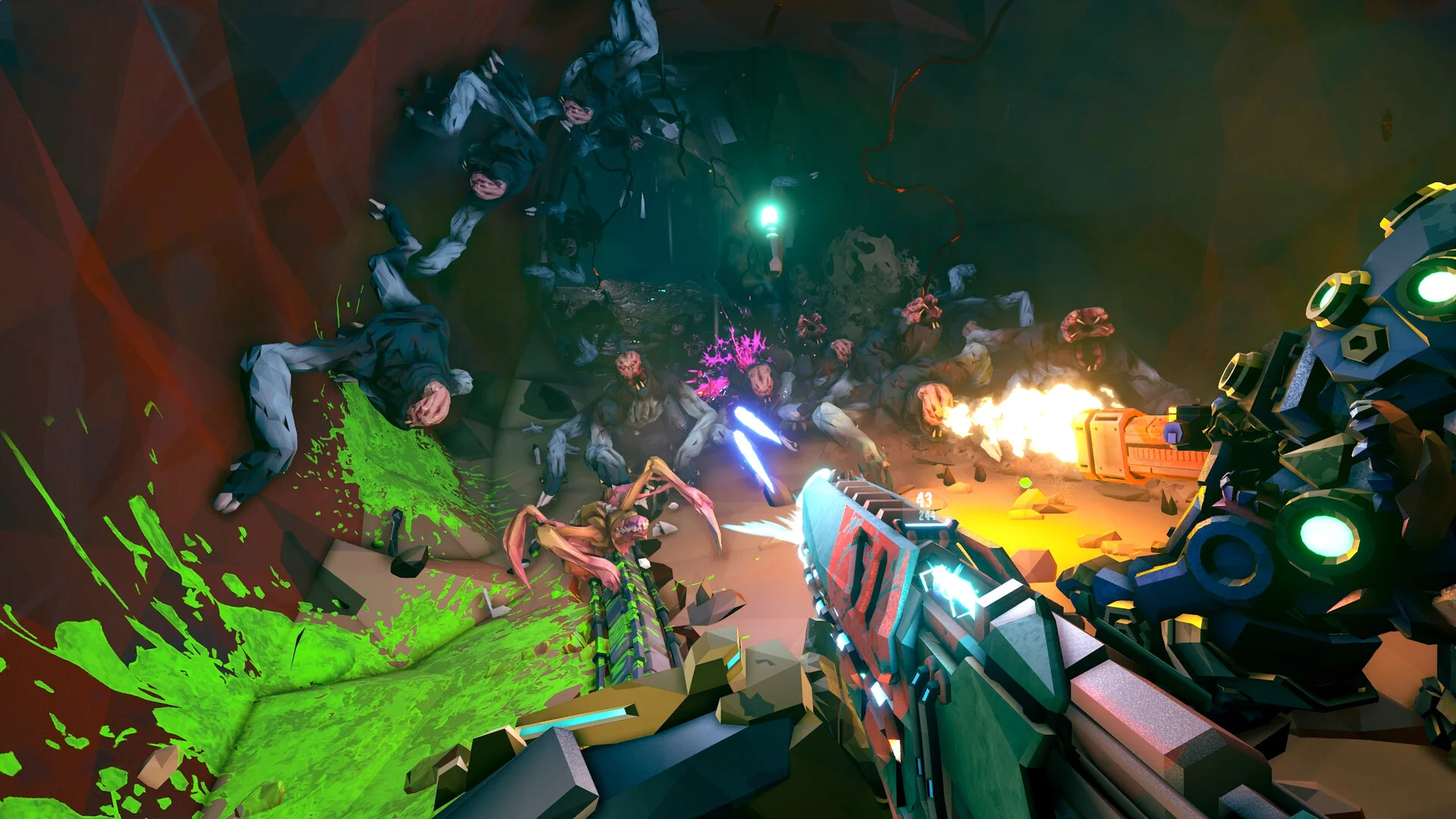
- Deep Rock Galactic Rogue Core minimum requirements: Ghost Ship's co-op roguelite runs on modest, mainstream hardware.
- Early Access status: Specs may shift as patches and content updates land through 2026.
- Where to check: The Steam store page lists the official minimum and recommended configuration.
- Performance tip: Capping frame rates and lowering particle density gives the biggest gains during heavy swarms.
- Co-op note: Host CPU matters most in 4-player runs with large Glyphid waves.
Deep Rock Galactic Rogue Core Minimum Requirements Explained
Deep Rock Galactic Rogue Core minimum requirements tell you the baseline PC configuration needed to launch and play the game at Low settings. Because Rogue Core is a roguelite mining shooter built on the proven Deep Rock Galactic formula — procedurally generated caves, destructible terrain, and 1–4 player co-op swarms — the practical bottleneck is usually your CPU and RAM during large waves, not raw GPU power.
As an Early Access title released on 2026-05-20, Rogue Core continues to receive weekly cadence patches and balance updates, which means system demands can change between updates. Always treat the Steam store page as the authoritative source for the current official numbers.
Ghost Ship Games actively iterates on Rogue Core during Early Access. Exact spec values below are guidance based on the store listing and the original DRG baseline — confirm the latest official figures on the Steam page before buying or upgrading.
The table below summarizes a realistic expectations baseline in the style of Ghost Ship's store listings:
| Component | Minimum Target | Notes |
|---|---|---|
| OS | Windows 10 64-bit | 64-bit required |
| CPU | Quad-core Intel i5 / Ryzen 3 class | Handles Low settings at 1080p |
| RAM | 8 GB | 16 GB strongly advised for co-op hosting |
| GPU | GTX 1050 Ti / RX 560 class | Targets 30-60 FPS on Low |
| Storage | SSD recommended | Faster cave generation and load times |
| DirectStorage | Not required | Standard NVMe still helps |
Minimum vs Recommended Specs Comparison
Minimum specs get you into the caves; recommended specs get you smooth swarms. The gap matters most in late-run expedition layers, where stacked roguelite upgrades multiply enemy counts, particle effects, and physics objects on screen.
| Scenario | Target FPS | Settings | Hardware Class |
|---|---|---|---|
| Solo, early depth, Low | 60 FPS | Low, 1080p | Minimum spec PC |
| 4-player co-op, Medium | 60 FPS | Medium, 1080p | Recommended spec PC |
| Host + large swarms, High | 60+ FPS | High, 1440p | Mid-range gaming rig |
| Deep runs, max effects | 60+ FPS | High, 1080p | CPU-forward build |
Budget Build
- Quad-core CPU, 8 GB RAM
- Entry GPU (GTX 1050 Ti class)
- Low settings, 1080p, 30-60 FPS
- Fine for solo and duo runs
Recommended Build
- 6-core CPU, 16 GB RAM
- GTX 1660 / RX 5600 class GPU
- Medium-High, 1080p, 60 FPS
- Comfortable 4-player hosting
Swarm-Proof Build
- 8-core CPU, 16-32 GB RAM
- RTX / RX 6000+ class GPU
- High settings, 1440p, 60+ FPS
- Handles late-run chaos and bosses
Deep Rock-style games lean heavily on the CPU for enemy AI, destructible terrain, and physics. If you must choose where to spend, a stronger CPU and more RAM deliver smoother swarm fights than a GPU upgrade.
Settings Optimization: Step-by-Step Setup Guide
Follow these steps to configure Rogue Core for stable performance, especially on hardware at or near the minimum requirements.
Update Drivers and Verify Files
Update your GPU drivers, then use Steam's "Verify integrity of game files" option. Early Access patches occasionally corrupt assets, and clean files prevent crashes on launch.
Set a Frame Rate Cap
Cap your FPS to 60 (or your monitor's refresh rate). Uncapped frames push the CPU harder during swarms, causing stutters exactly when combat peaks.
Lower Particle and Shadow Settings First
Particle density and dynamic shadows are the biggest visual cost in swarm fights. Drop these to Low before touching resolution — cave lighting still reads well at reduced quality.
Keep the Game on an SSD
Install to an SSD if available. Procedural cave generation and depth transitions load dramatically faster, and texture streaming hitches shrink noticeably.
Close Background Apps Before Hosting
Browsers, launchers, and overlays compete for CPU and RAM. As the expedition host, your machine simulates the run for the whole squad — free up resources before you press launch.
The three biggest performance gains in order: FPS cap, particle density to Low, and background app cleanup. Most players near minimum specs reach stable 60 FPS with just these changes.
Can Your PC Run a 4-Player Co-op Run?
Co-op changes the requirements picture. Every dwarf class contributes active effects — Engineer turrets, Driller flamethrower particles, Gunner minigun tracers, Scout flares — and the host's machine carries the simulation load.
| Role in Lobby | Hardware Pressure | Advice |
|---|---|---|
| Host (4 players) | Highest — simulates terrain, AI, physics | Use recommended spec or better |
| Client (joining) | Moderate — rendering + network | Minimum spec usually sufficient |
| Solo player | Lowest | Minimum spec runs comfortably |
| Deep-endgame runs | High on all machines | Medium settings for stability |
If your PC barely meets minimum requirements, consider joining rather than hosting full squads. A struggling host creates rubber-banding and delayed enemy movement for everyone in the lobby.
Additional co-op performance notes:
- Lower hazard farming runs are far lighter on hardware than late-depth boss pushes.
- Voice chat through Discord adds minor overhead — close unnecessary channels and overlays.
- Flare and light spam during dark extraction sprints is a common frame-drop trigger; reduce bloom if drops cluster there.
Pre-Purchase Checklist
Before purchasing or upgrading for Rogue Core, run through this quick readiness list:
PC Readiness Checklist:
- Confirm 64-bit Windows 10 or newer
- Check 8 GB RAM minimum, 16 GB preferred
- Verify GPU meets entry-level DirectX 11 class
- Confirm SSD with free space for install and patches
- Review official specs on the Steam store page
- Test with Steam refund window (under 2 hours) if unsure
FAQ
Q: What are the Deep Rock Galactic Rogue Core minimum requirements?
The baseline targets a 64-bit Windows 10 system, a quad-core CPU, 8 GB of RAM, and an entry-level GPU such as a GTX 1050 Ti class card, running the game on Low settings at 1080p. Because the game is in Early Access, always confirm the current official figures on the Steam store page before purchasing.
Q: Can I run Rogue Core on the same PC that ran the original Deep Rock Galactic?
In most cases, yes. Rogue Core builds on the same engine family and co-op formula, so hardware that handled DRG's swarms at Medium settings should handle Rogue Core similarly, though heavier late-run Roguelite effects may require slightly reduced settings.
Q: Is an SSD required?
An SSD is not strictly required but is strongly recommended. Procedural cave generation, depth transitions, and texture streaming all benefit significantly, reducing load times and mid-run hitches.
Q: Does my PC need to be stronger if I host a 4-player lobby?
Yes. The host simulates terrain destruction, enemy AI, and physics for the entire squad. If your machine is at minimum spec, joining someone else's lobby typically gives a smoother experience than hosting a full team.