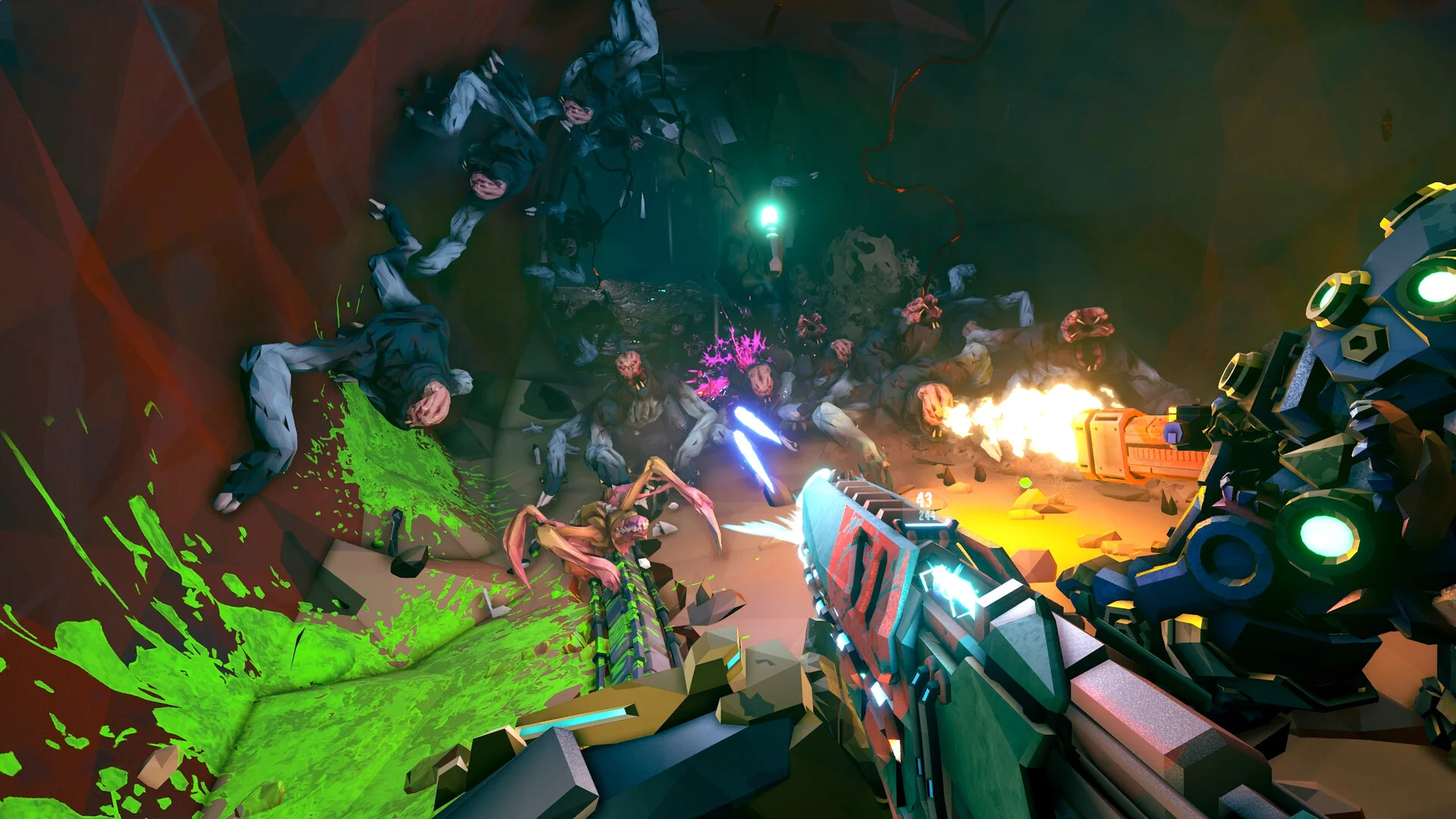
- Deep Rock Galactic Rogue Core on Steam Deck: a PC co-op roguelite playable on Valve's handheld with tuned settings.
- Core loop: Reclaimer hub prep, procedural expedition, swarm combat, extraction — all handheld-friendly.
- Best settings: medium presets, 30–40 FPS target, FSR enabled for longer battery life.
- Co-op works: 1–4 player lobbies join fine on Deck via Steam networking.
- Controls: full controller support with gyro aiming as a strong option.
Running Rogue Core on Steam Deck: The Basics
Deep Rock Galactic: Rogue Core launched into Steam Early Access on May 20, 2026, bringing the roguelite mining formula to PC. Because it ships on Steam (AppID 2605790), it is inherently runnable on the Steam Deck through your Steam library — no workarounds required. The game inherits the controller-first design of the Deep Rock Galactic family, which maps naturally onto the Deck's layout.
Before diving in, keep two expectations straight:
- Early Access performance shifts: Ghost Ship ships regular balance and stability patches, so frame rates and bugs evolve week to week.
- Handheld trade-offs: you can absolutely mine in bed, but a full four-dwarf Hazard 5 swarm will tax the Deck harder than a desktop GPU.
| Aspect | Steam Deck Expectation |
|---|---|
| Store availability | Steam store page, runs natively via Proton |
| Input | Full controller support, community + official layouts |
| Display target | 800p (1280x800), 30–40 FPS with tuned settings |
| Co-op | 1–4 player lobbies, works over Wi-Fi |
| Session length | Roughly 2–3 hours per charge under load |
Install directly from your Steam library on Deck, then check the official Steam page for current patch notes before long sessions — Early Access hotfixes land frequently.
Best Steam Deck Settings for Expeditions
Rogue Core's dark procedural caves and heavy swarm moments are the main performance stressors. A settings pass in the orbital options menu pays off immediately.
| Setting | Recommended | Why |
|---|---|---|
| Resolution | 1280x800 native | Sharpest image, no scaling blur |
| Preset | Medium | Balanced particle detail during swarms |
| FSR / Upscaling | On, Quality | Recovers frames when mobs flood the screen |
| Shadows | Medium or Low | Biggest GPU saver in large caverns |
| FPS Limit | 40 (or 30) | Stable frame pacing, cooler device, longer battery |
| Motion Blur | Off | Reduces perceived smear on small screen |
Set the Frame Limit
In the Deck's quick menu (Q button), cap the frame rate at 40 FPS. A stable 40 feels far better on a handheld than an unstable 50.
Apply the Medium Preset
Launch Rogue Core, open graphics settings, apply Medium, then drop shadows one notch lower. Test in a swarm-heavy biome.
Enable Upscaling
Turn FSR on at Quality mode. If caverns still stutter when Glyphid waves spawn, step down to Balanced.
Tweak Battery Profiles
Use the performance overlay to find your wattage sweet spot — many players settle around 10–13W for co-op sessions.
Extraction sequences and boss phases dump dozens of enemies and projectiles on screen. If you notice dips only during drop pod defense, lower particle quality before touching resolution.
Controls and Class Comfort on Deck
The five Reclaimed Dwarf classes translate to the Deck's controls differently. Choose a class that matches handheld play when you're away from your desk.
Gunner — Best Deck Starter
- Forgiving, high health, simple plan
- Minigun + shield generator maps to triggers well
- Ziplines require little fine aim
Engineer — Passive Defense
- Turrets do work while you manage positioning
- Platform gun benefits from gyro aiming
- Great for solo Deck runs
Driller — Close-Quarters
- Flamethrower sprays need minimal precision
- Power drills simplify navigation on a small screen
- Punishing if surrounded at low FPS
Scout — Highest Skill Floor
- Grapple mobility demands crisp aim
- Flare gun is easy; precision rifle is not
- Better once you enable gyro controls
| Control Tip | How to Set It |
|---|---|
| Gyro aiming | Steam Input: enable gyro on right touchpad touch for fine tracking |
| Laser pointer pings | Map to a rear paddle (L4/R4) for instant callouts in co-op |
| Flare / tool wheel | Bind to left touchpad menu for quick access |
| Rear grip buttons | Reserve for resupply pings and revive interactions |
Enabling gyro aiming in Steam Input brings Scout and Engineer precision shots close to mouse levels on the Deck — worth five minutes of setup.
Co-op on the Go: Wi-Fi, Battery, and Sessions
Rogue Core's 1–4 player co-op is central to the experience, and the Deck handles lobbies well — provided your network keeps up.
- Host or join from the Reclaimer hub; friends-only and public lobbies both work over Wi-Fi.
- Coordinate temporary upgrades in voice chat or via pings; the laser pointer covers most callouts.
- Revive safely: on Deck, the smaller screen makes ceiling threats like Cave Leeches easier to miss — flare before advancing.
Pre-Expedition Deck Checklist:
- Charge above 50% or dock to power for long runs
- Cap FPS at 40 and confirm FSR is enabled
- Test voice chat or agree on ping-only communication
- Pick a class that suits handheld aiming comfort
- Verify game is updated — Early Access patches break old lobbies
Expect roughly 2–3 hours per charge in active expeditions. Idle hub time at the Reclaimer station drains far less, so bank minerals and plan upgrades while plugged in.
Steam Deck vs. Desktop Play Comparison
| Factor | Steam Deck | Desktop PC |
|---|---|---|
| Portability | Play anywhere on Wi-Fi | Desk-bound |
| Frame rate | 30–40 FPS tuned | 60+ FPS easily |
| Aim precision | Good with gyro | Best with mouse |
| Swarm-heavy runs | Occasional dips | Stable under load |
| Best use case | Solo / casual co-op | Hazard 4–5 squad play |
| Battery | 2–3 hours | Unlimited |
Many Reclaimers grind permanent progression and crafting on the Deck at the hub, then switch to desktop for deep high-hazard expeditions where every frame matters.
FAQ
Q: Is Deep Rock Galactic: Rogue Core playable on Steam Deck?
Yes. The game runs natively through Steam with full controller support. With medium settings, FSR upscaling, and a 40 FPS cap, it delivers a stable handheld co-op experience, though Early Access patches can shift performance between updates.
Q: Which class is easiest to play on Steam Deck?
Gunner is the most forgiving: high health, sustained minigun fire that needs little precision, and a deployable shield that rescues messy fights. Engineer's automated turrets are a close second for low-effort defense during handheld sessions.
Q: Can I play Rogue Core co-op with friends from the Steam Deck?
Yes. Lobbies for 1–4 players work over Wi-Fi, including public and friends-only sessions. Use the laser pointer pings or voice chat to coordinate temporary expedition upgrades with your squad.
Q: How do I improve frame drops during swarms?
Lower shadow and particle quality first, enable FSR at Quality or Balanced mode, and cap the frame rate at 40. Extraction waves and boss phases are the heaviest moments, so test settings during a drop pod defense before committing to a long run.